Setting up a home theater can feel overwhelming, there are dozens of speaker options, confusing specs, and plenty of marketing noise. Sony’s lineup cuts through that clutter with reliable gear that delivers solid performance without requiring an engineering degree. Whether you’re upgrading from tinny TV speakers or building a full surround sound system from scratch, Sony offers options across every budget and space. This guide walks you through what makes Sony speakers worth considering, which features actually matter, and how to pick the right model for your living room.
Table of Contents
ToggleKey Takeaways
- Sony home theater speakers balance affordability with sound quality, delivering reliable performance across music and movie soundtracks without requiring constant tweaking.
- Dolby Atmos support adds overhead sound effects that justify the extra cost if you watch action movies frequently, while entry-level models can skip this feature for budget savings.
- HDMI eARC is the modern standard for connecting Sony soundbars to TVs, eliminating cable clutter and providing cleaner setup compared to older digital optical connections.
- The Sony HT-G700 represents the sweet spot for most buyers, offering 3.1 surround sound with Dolby Atmos and a wireless subwoofer without the complexity of full 7.1 systems.
- Proper placement—soundbar at ear level with direct line-of-sight and subwoofer in a corner—combined with minimal maintenance ensures years of reliable performance.
- Start with an honest assessment of your space and viewing habits to choose the right Sony model, from entry-level HT-S150 for tight budgets to premium HT-A9000 for dedicated theater rooms.
Why Sony Stands Out in the Home Theater Market
Sony has been in the audio game for decades, and that experience shows in their home theater lineup. They balance affordability with genuine sound quality, you’re not paying for a name, you’re paying for engineering that works.
One reason Sony performs well: their speakers handle both music and movie soundtracks without requiring constant tweaking. A lot of budget gear excels at explosions but sounds thin on dialog or acoustic instruments. Sony’s tuning tends to keep things balanced across the frequency spectrum.
Their integration with other Sony products is seamless too. If you own a Sony TV, soundbar, or receiver, they’re designed to work together without headaches. That doesn’t mean you have to buy all Sony, their gear works fine with other brands, but the ecosystem advantage is real.
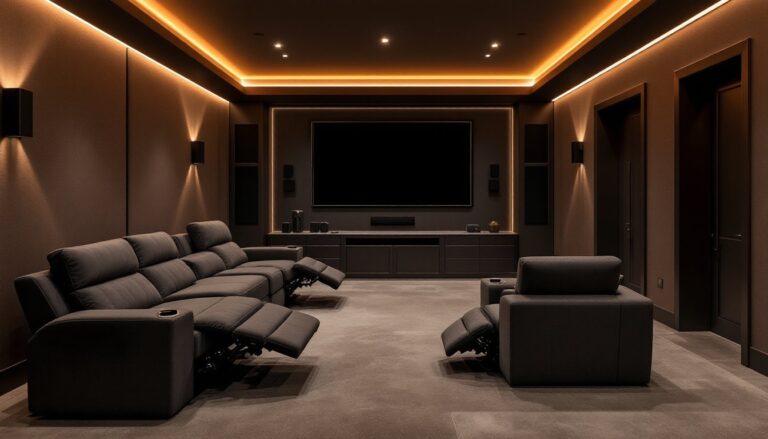
Another factor: Sony offers true variety. You can grab a simple 2.1 soundbar for a bedroom, or a full 5.1.2 Dolby Atmos setup for a dedicated theater room. Most models come with wireless subwoofers that don’t require running cables through walls, which matters when you’re renting or don’t want permanent installation headaches.
Their warranty and customer support are straightforward too. No mystery on what’s covered, and replacement parts aren’t impossible to find.
Key Features to Look For in Sony Home Theater Speakers
Sound Quality and Audio Performance
Dolby Atmos support matters if you care about overhead sound effects. Standard surround setups play sound left-to-right and front-to-back. Atmos adds a vertical dimension using upward-firing or ceiling-mounted speakers, when a helicopter flies overhead in a movie, you actually hear it above you. Sony’s mid-range and premium soundbars often include Atmos, but entry-level models skip it. Decide upfront whether that height effect justifies the extra cost for your viewing habits.
DTS:X is a competing format that does similar things, but fewer movies use it. Stick with Atmos if you want options.
Frequency response (measured in Hz) tells you the range of tones a speaker can produce. Human hearing spans roughly 20 Hz to 20,000 Hz. Most Sony soundbars claim 40 Hz to 20,000 Hz or similar. That lower number matters less than it sounds, most blockbuster sound design lives in the midrange and treble. A dedicated subwoofer handles the deep bass that makes explosions feel real in your chest.
Power rating (in watts) gets overblown in marketing. Fifty watts from a quality driver beats 100 watts from cheap drivers. Sony’s ratings are usually honest, but don’t use wattage alone to compare models. Listen to demos online or in a showroom if possible.
Connectivity and Compatibility Options
HDMI eARC (enhanced Audio Return Channel) is the modern standard for connecting soundbars to TVs. Your TV sends audio back through the same HDMI cable without a separate digital optical cable. Sony soundbars with eARC work with most modern TVs, just check compatibility before buying. This is much cleaner than older setups and cuts down cable clutter.
Bluetooth is essential for wireless music streaming from phones and tablets. Sony’s implementation is reliable and supports multiple devices. Some premium models add WiFi for better streaming stability, which helps if your Bluetooth connection drops.
Physical audio inputs (RCA, 3.5mm) matter less than they used to, but older devices still need them. If you’re connecting an older DVD player, turntable, or gaming console without HDMI, confirm your Sony model has the right jacks.
Multi-room audio (via WiFi) lets you play music in different rooms simultaneously. Sony’s newer models support this, though it requires a compatible receiver or amp to power speakers in other zones.
Popular Sony Home Theater Speaker Models for Different Budgets
Entry-Level: Sony HT-S150
The HT-S150 is Sony’s no-fuss soundbar for tight budgets. It delivers clean vocals and handles movie dialog well without a separate subwoofer (though adding one later will improve bass). Reviewers consistently note that the Sony HT-S150 stands out as a great-sounding option for the price. It supports Bluetooth and has a passive subwoofer built in. Setup takes minutes, no receiver required. If you just want to escape your TV’s tinny speakers without wiring a whole system, this works.
Mid-Range: Sony HT-G700
Step up to the HT-G700 and you get a 3.1 soundbar (left, center, right channels plus subwoofer) with Dolby Atmos support. The separate wireless subwoofer adds meaningful bass for movies and music. HDMI eARC and Bluetooth both work. This is where most buyers find the sweet spot: enough features for immersive movie nights without the complexity and cost of a full 5.1 or 7.1 system. Mounting options are flexible, wall-mount or TV stand.
Premium: Sony HT-A9000
The HT-A9000 is a modular 7.1.2 system (front, surround, rear, side channels plus overhead Atmos channels and separate subwoofer). You can start with the soundbar and add wireless surrounds later as your budget allows. Sound quality is noticeably superior, instruments separate cleanly, dialog cuts through, and Atmos effects genuinely immerse you. This setup demands more wall space and ideally a living room larger than 250 square feet. Installation is straightforward for a wireless system, but you’ll want to plan speaker placement.
Budget Soundbars: Real Value Under $300
If budget is tight, affordable soundbars including Sony models with Dolby Atmos support remain practical options. The HT-S100F is another solid entry point, smaller footprint, fewer features, but honest sound for small rooms. Avoid the temptation to buy used older models: speaker technology improves yearly, and you’ll want current features like eARC.
Installation and Setup Tips for Your Sony System
Physical Setup and Placement
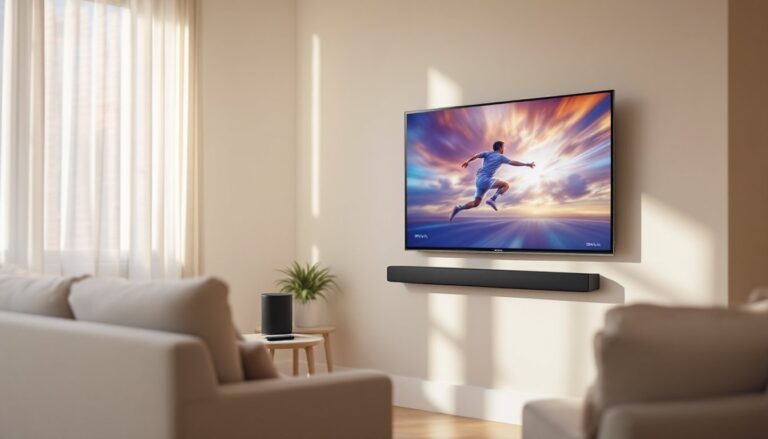
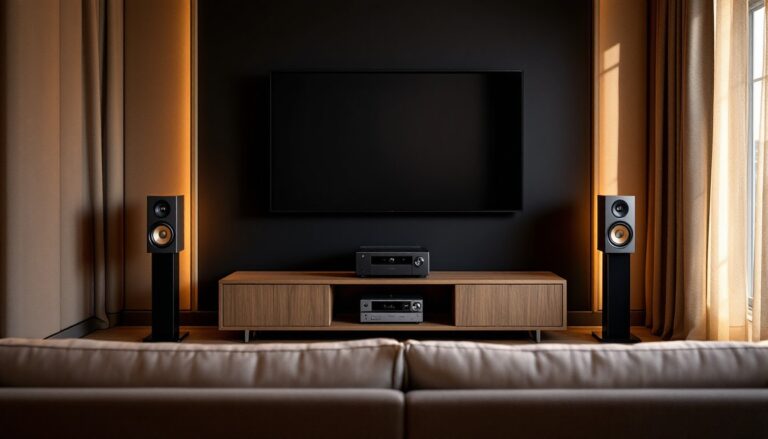
Place your soundbar in front of the seating area, ideally at ear level when seated or slightly above. If wall-mounting, use the included brackets and locate studs (use a stud finder if uncertain). Don’t bury it behind a TV or cabinet: it needs direct line-of-sight to the room. The subwoofer should sit on the floor in a corner or along a side wall, bass bounces around rooms, so exact placement is less critical than with surround speakers. Avoid corners directly behind seating: bass will feel uneven.
For wireless surrounds (if your model supports them), position them 1-2 feet above ear level and aim them across the room rather than directly at seating. This spreads ambient sound without being distracting.
Connection and Configuration
Connect your soundbar to your TV using a high-speed HDMI cable with eARC capability. In your TV’s audio settings, select “external speakers” or “soundbar” instead of internal speakers. Your TV will auto-detect the soundbar: no second-guessing needed.
Power on the subwoofer first, then the soundbar. They should pair automatically via Bluetooth. If not, hold the pairing button on the subwoofer (usually on the back or underside) for 5 seconds until it blinks.
Turn on Dolby Atmos in your TV’s audio settings if available. Confirm the soundbar and receiver “see” each other by checking the input source on your TV and listening to a test movie with overhead effects.
Testing and Fine-Tuning
Play a known-good movie clip with dynamic sound (action sequence, rainfall, aerial camera work) and listen for clarity at your normal viewing volume. Dialog should be crisp, not buried. Bass should feel present but not boomy. Many Sony soundbars include a remote with volume and bass trim, if voices sound muffled, nudge the treble up slightly. Don’t over-equalize: small adjustments (2–3 dB) go a long way.
WiFi setup (if your model supports streaming): connect to your home network via the soundbar’s menu or Sony’s app. This enables software updates that improve sound and add features. Updates may happen automatically, but check annually.
Maintenance and Long-Term Care
Sony speakers require minimal maintenance, but a few habits extend their life.
Dust and Cleanliness
Wipe the soundbar front occasionally with a soft, dry cloth. Don’t spray cleaner directly on drivers, liquid and speaker cones don’t mix. If dust accumulates on grilles, a gentle vacuum on low suction works. The subwoofer cone can be wiped similarly but handle it gently: the membrane is fragile.
Power and Ventilation
Leave at least 4 inches of space around the soundbar and subwoofer for airflow. These aren’t heaters, but components inside generate some warmth. Blocked vents can shorten lifespan. Use a power strip with an on/off switch if you want to cut standby power consumption, but don’t unplug constantly, this can stress components. Once a week of normal use is fine: once a day is unnecessary.
Software Updates
Check for firmware updates quarterly via your Sony app or the soundbar’s settings menu. These fix bugs, improve compatibility, and sometimes add sound refinements. Updates are typically automatic on WiFi-connected models but worth confirming.
Subwoofer Surroundings
Keep the subwoofer away from water, direct sunlight, and extreme heat. If you live in a very humid climate (coastal areas, basements), consider a small silica gel pouch near (but not touching) the subwoofer to reduce moisture damage. This is optional but helpful if you want 10+ years of trouble-free use.
Bluetooth Pairing
If Bluetooth fails, unpair the device in your phone’s settings, then re-pair. Most Sony soundbars remember the last connected device, so you won’t need to redo this often.
Warranty coverage typically runs 1–2 years depending on the model. Sony’s customer support can troubleshoot remotely if issues arise. Keep your receipt and product registration current to claim warranty service if needed.
With minimal care, a Sony home theater system will deliver solid performance for many years. The sound won’t degrade noticeably unless physically damaged, so focus your energy on enjoying it rather than obsessing over upkeep.
<h2 id="” data-id=””>Wrapping Up Your Sony Home Theater Journey
Choosing Sony home theater speakers comes down to matching your space, budget, and how often you actually watch movies. Start with an honest assessment: Are you upgrading bedroom TV speakers or building a dedicated home theater? Do you want Dolby Atmos, or is clean stereo with a subwoofer enough? Once you know that, the right Sony model becomes obvious. The brand’s strength isn’t hype, it’s consistent engineering, fair pricing, and gear that works when you press play. Take your time setting it up properly, and you’ll enjoy years of better movies, music, and content without the headaches that plague cheap systems.