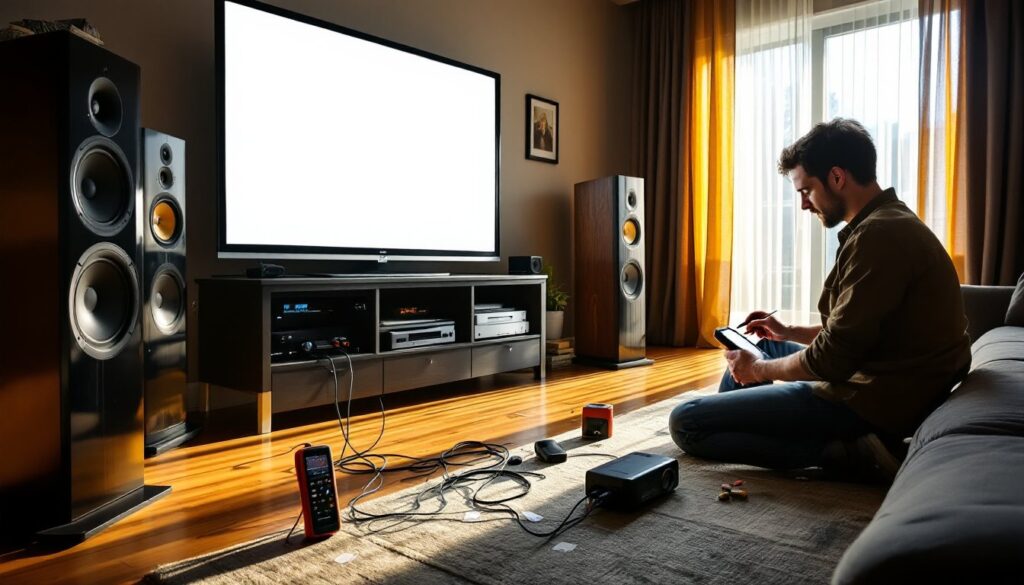

Setting up a home theater doesn’t have to drain your wallet. Many homeowners assume that premium audio and video come with premium price tags, but the used home theater market offers exceptional value for those willing to do their assignments. Whether you’re building your first system or upgrading an existing setup, used home theater systems can deliver the same cinematic experience as new equipment, often at 40 to 60 percent below retail cost. The key is knowing what to look for, where to shop, and how to spot gear that’s genuinely well-maintained versus equipment with hidden problems.
Table of Contents
ToggleKey Takeaways
- Used home theater systems deliver cinematic audio and video quality at 40-60% below retail cost, making premium equipment accessible to budget-conscious homeowners.
- Evaluate speakers for distortion and physical damage, test all amplifier inputs and outputs, and check projector lamp hours (3,000–5,000 hours expected) before committing to a purchase.
- Buy from reputable sources like specialty retailers, local A/V shops, or trusted forums rather than private sales to reduce the risk of damaged or misrepresented equipment.
- Avoid red flags such as unrealistic pricing, sellers unwilling to demonstrate equipment, and payment requests via wire transfer or gift cards, which commonly indicate scams or problematic gear.
- Proper installation requires reviewing owner’s manuals, running HDMI cables separately from power cables, and testing all connections before wall-mounting to ensure long-term system reliability.
Why Consider a Used Home Theater System
Buying used home theater equipment isn’t just about saving money, though that’s a real incentive. Used systems let you access higher-tier components than you’d afford new. A 10-year-old Denon or Yamaha receiver still delivers excellent surround processing and connectivity, and you’ll pay a fraction of what a new flagship model costs.
Depreciation hits home theater gear hard. Once equipment leaves the showroom, it drops 30 to 50 percent in resale value immediately. That works in your favor as a buyer. You’re essentially letting the original owner absorb that depreciation hit while you snag gear that still has years of reliable performance left.
Another practical reason: home theater technology is mature. Surround sound formats like Dolby Digital and DTS have been standards for two decades. A solid used amplifier, speakers, or projector from even 15 years ago will integrate seamlessly with modern content sources. You’re not gambling on outdated tech the way you might with, say, a 2010 smartphone.
Key Components to Evaluate When Shopping Used
Audio Equipment and Speaker Quality
When inspecting used speakers, listen for distortion or crackling across the frequency range. Play a familiar album or movie soundtrack at moderate volume, this reveals problems that dead silence masks. Check for visible damage: torn cones, damaged tweeters, or wobbly cabinet joints. Loose internal components will rattle: this is often fixable but adds cost.
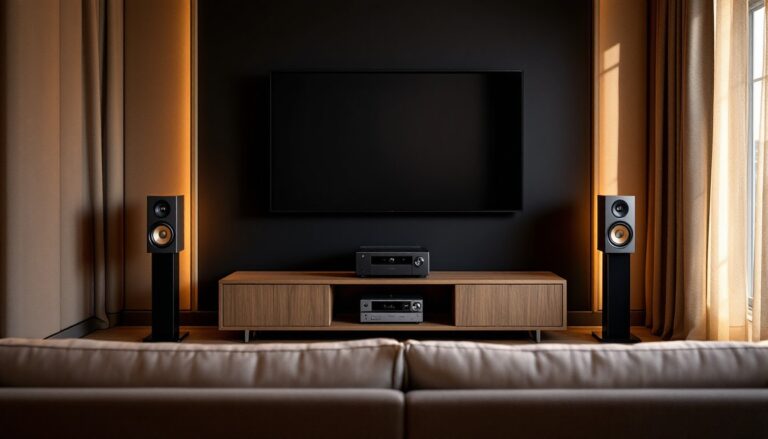
For amplifiers and receivers, confirm all inputs and outputs work. Test each HDMI port, optical input, and analog connection. Verify surround processing engages properly by cycling through different sound modes. Some older receivers have capacitors that fail silently, but a units that turns on, produces clean audio, and switches inputs smoothly is generally a safe bet. Ask the seller about any servicing history, receivers that have been professionally maintained tend to outlast neglected units.
Cable connections and speaker impedance matter more than many realize. Verify that existing speaker wires match the impedance rating (usually 8 ohms) on the back of the amplifier. Mismatched impedance doesn’t destroy equipment instantly, but it stresses amps and dulls sound quality over time.
Video Displays and Projection Systems
LED and QLED televisions hold value fairly well compared to older plasma or rear-projection units. Check for dead pixels by displaying solid colors, especially white, black, and red, across the full screen. A few dead pixels are cosmetic: many scattered across the display signal a more serious problem. Test the backlighting: uneven brightness at the edges is common in older panels but becomes annoying in a dark theater room.
Projectors require more scrutiny. Lamp hours are critical, look at the menu or ask the seller directly. Most projector lamps last 3,000 to 5,000 hours: a unit with 4,500 hours logged is nearing replacement cost. A new lamp for a quality projector runs $150 to $400. Check for dust or debris inside the lens by shining a light through it. Internal dust degrades image sharpness and increases fan noise.
Test video scaling by connecting the projector to an HDMI source. Pause on a frame with fine detail, text, patterns, or faces. Scaling artifacts or softness suggest a failing processor, though this is rare. Temperature sensors sometimes drift on older units: if the projector shuts down after 10-15 minutes, a cooling issue is likely. That’s a professional repair, not a DIY fix.
Where to Find Reliable Used Home Theater Equipment
Facebook Marketplace and Craigslist offer direct access to local sellers, you can inspect gear before buying and avoid shipping costs. Walk through the transaction carefully: meet in a safe public place, bring a friend, and request a brief demo before handing over cash. Never wire money for unseen equipment.
Specialty retailers like Best Buy’s used section and Crutchfield’s outlet occasionally stock returned or open-box home theater gear with return guarantees. These come at a premium compared to private sales, but the safety net is worth considering if you’re nervous about buying used. eBay and Amazon Warehouse provide some buyer protection, though shipping fragile items like speakers or projectors increases risk.
Local home theater installers and A/V shops sometimes have trade-in sections or refurbished inventory. These sellers understand the equipment, can answer technical questions, and often stand behind what they sell. Audio enthusiast forums and subreddits like r/hometheater connect you with knowledgeable sellers who can explain the history and condition of specific models. This community knowledge is invaluable when vetting gear.
Red Flags and How to Avoid Problem Purchases
Unrealistic pricing, way below market rate, signals stolen, damaged, or misrepresented equipment. Before making an offer, check what similar used models sell for on eBay’s completed listings. This shows actual market value, not just asking prices.
Sellers who won’t demonstrate the equipment are hiding something. If they claim “I don’t have it set up right now” or “the cables are packed,” ask them to set it up while you’re there. Any reluctance is a red flag. Honest sellers are proud to show their gear working. Similarly, avoid purchasing sight-unseen unless the seller offers a detailed return window or the platform provides buyer protection.
Physical damage beyond cosmetics, burned-out indicator lights on amplifiers, cracked plastic lenses on projectors, corroded speaker terminals, suggests the equipment’s been abused or sat in poor conditions. A little dust is normal: rust, discoloration, or salt residue means moisture exposure. Moisture-damaged gear fails within months.
Requests for wire transfer or gift cards instead of cash or secure payment methods indicate a scammer. Legitimate sellers accept reasonable payment methods that protect both parties. Also be wary of sellers who pressure you to decide quickly or claim “several other buyers are interested.” Quality used gear isn’t that rare: patience pays off.
Installation and Setup Considerations for DIY Enthusiasts
Before assembling a used home theater, review the owner’s manuals for every component, especially amplifiers and receivers. The manual tells you where thermal vents need clearance, how much space you need for proper cooling, and what connections you’ll need. A 5-inch clearance around vented amplifiers isn’t optional: inadequate airflow causes premature failure.
Wire management matters. Run HDMI cables separately from power cables to minimize interference. Use 14 or 16 gauge speaker wire: thinner gauge causes signal loss over long runs. Label everything before disconnecting an old system, take photos of the setup before you tear it down. This saves hours of troubleshooting.
Room acoustics affect perceived sound quality more than many realize. Hard walls and tile floors create reflections that muddy dialogue and add harshness to high-frequency content. Heavy curtains, acoustic panels, or even bookshelves help. This isn’t a DIY installation issue, but understanding room treatment makes used speakers sound dramatically better than poor placement does.
Test all connections before wall-mounting anything. Plug in sources, verify each HDMI input, cycle through surround modes, and run a full-system test movie scene. This catches connection issues before you’re staring at blank walls wondering what’s broken. Once you confirm everything works, secure cables with gentle clips, avoid crushing HDMI connectors or speaker wire insulation during installation. Most used home theater failures result from poor connections, not failed components. Take your time here.